You can run this notebook in  , in
, in  .
.
[12]:
from ecmwf.geomaps import GeoMap
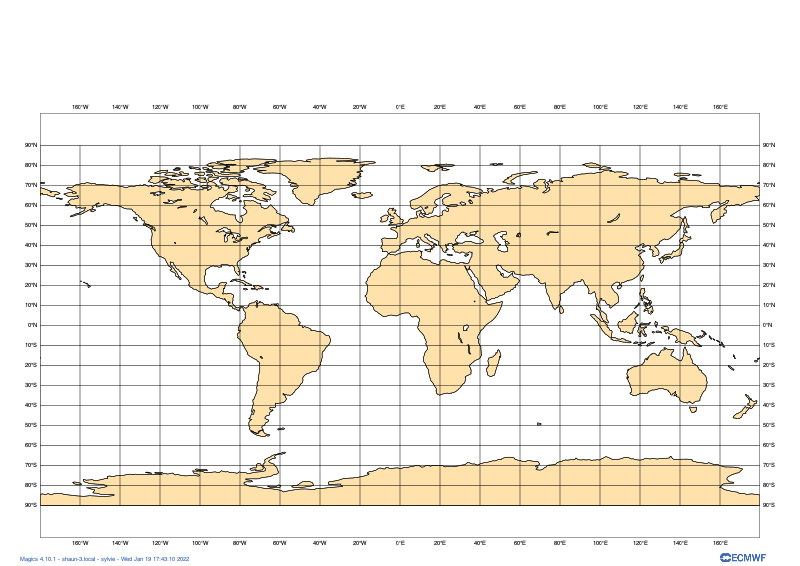
Global map of sea level pressure
Instantiate a new map
We add some background land polygons and coastlines A call to the show method on the map object will display it nicely
[13]:
geomap = GeoMap()
geomap.coastlines(land_colour="cream")
geomap.coastlines()
geomap.gridlines()
geomap.show()
[13]:
[ ]:
Plot a simple GRIB data
[14]:
MSL = "data/msl.grib"
geomap = GeoMap()
geomap.coastlines(land_colour="cream")
geomap.contour_lines(MSL)
geomap.coastlines()
geomap.gridlines()


# Show the finished map inline in the notebook
geomap.show()
[14]:

Tweaking the plot
[6]:
# Instantiate a new map, this time using the default Europe view
geomap = GeoMap(area_name="europe")

# Add some higher-resolution background land polygons and coastlines
geomap.coastlines(resolution="high", land_colour="cream")

# Plot red line contours on the map, with purple highlights
# Plot a line every 2 millibars (starting at 0) with highlights every 4 lines
geomap.contour_lines(
    source=HRES_MSL,
    line_colour="red", highlight_colour="purple",
    interval=2, interval_reference=0, highlight_frequency=4,
)

# Add foreground coastlines and gridlines
geomap.coastlines(resolution="high")
geomap.gridlines(line_style="dash", line_colour="#555555")

# Add a custom title
geomap.title("Mean sea level pressure at 00 UTC on Tuesday 30/10/2012")

# Show the finished map inline in the notebook
geomap.show()
Magics-ERROR: ERROR: unable to open file '../tests/data/hres_msl.grib': No such file or directory
[6]:

Applying presets
Method-specific presets
GeoMap methods can take a ‘preset’ argument, which automatically populates certain arguments with pre-defined values for convenience
[17]:
geomap = GeoMap(area_name='europe')

geomap.contours_shaded(MSL, preset='demo', legend=True)
geomap.coastlines(preset='default')
geomap.gridlines(preset='default')

geomap.show()
---------------------------------------------------------------------------
AttributeError                            Traceback (most recent call last)
<ipython-input-17-fb685e1904b2> in <module>
      1 geomap = GeoMap(area_name='europe')
      2
----> 3 geomap.contours_shaded(MSL, preset='demo', legend=True)
      4 geomap.coastlines(preset='default')
      5 geomap.gridlines(preset='default')

AttributeError: 'GeoMap' object has no attribute 'contours_shaded'
Global presets
[ ]:
# GeoMaps can also take 'global' presets, defined on instantiation,
# which can automatically add certain plot elements (e.g. coastlines)
# for even more added convenience.
# Notice that we don't call geomap.coastlines() or geomap.gridlines()
# below, but the 'background-foreground' adds these for us.
geomap = GeoMap(projection='mollweide', preset='background-foreground')
geomap.contour_lines(HRES_MSL)

geomap.show()
